
GOOGLE MAP OPTIMISATION ADELAIDE
Why Do I Need A Google MyBusiness Map For My Business?
In today's digital landscape, having a robust online presence is crucial for any business.
One of the most effective ways to enhance your visibility online is through creating a Google MyBusiness Map.
At Assurance Digital, we specialise in Google Map Optimisation in Adelaide, ensuring your business stands out in local searches.
With over 20 years experience, we provide comprehensive services to set up, verify, and optimise your Google MyBusiness Map (GMB).
Let us help you leverage the power of your Google MyBusiness Map to drive local more traffic and increase your customer base.
Be Seen Locally: Every day customers rely on information found on Google to locate, contact, navigate to and make purchases from local businesses who are seen to be near them or can service them in their local area.
We'll take care of optimising your map, making the most out of your local presence aiming to drive more enquiries though to your business.
Get Reviews: Consumers look online at business reviews before making purchase decisions, so there is a great opportunity to build quality 5 star reviews and boost your local reputation online with your Google Map presence.
Generate Leads: If your business can be found on Google Maps, chances are that you'll receive enquiries like phone calls, website visits and contact form submissions.
Google MyBusiness when optimised correctly can be a great lead generation tool in your local area or service area.
For businesses looking to improve their overall visibility in Adelaide search results, our Local SEO Adelaide service combines Google Search, Google Maps and local search optimisation to help businesses reach more customers in their local area.
Easy To Find: If you have a shopfront, one of the easiest ways for customers to find you is through your Google Map Listing.
Customers will use your address on their phones, in their cars and with navigation tools to easily be guided to your location.
If you are a "we visit you" business, we can tune your listing to be found outside your local area and infront of your potential customers.
Trusted Listing: Your Google Map is a trusted listing and is great for having comprehensive information about your business listed, including your open hours, booking links and your own website URL and more.
If your website is linked to it, customers can click through and visit your own website.
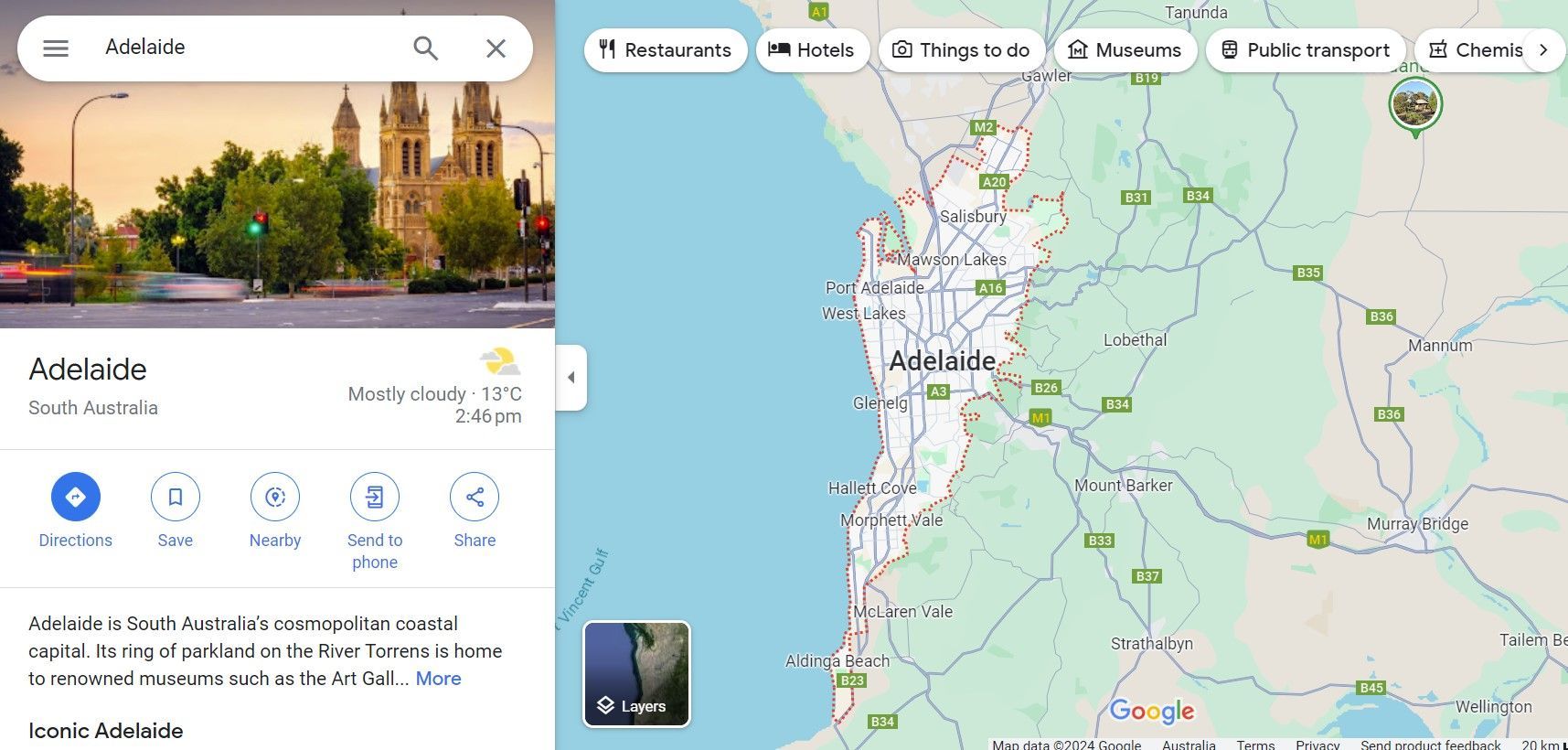
Google MyBusiness Map Example:
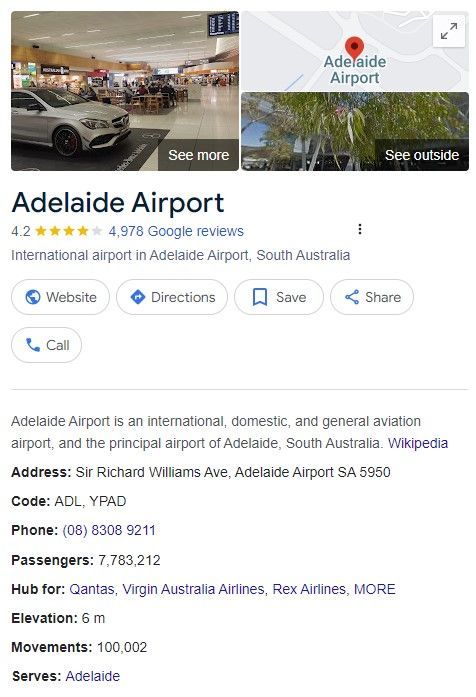
Great Branding: Showcase your photos, posts and special offers for more sales online
Clear Performance Reporting: It's easy to find and explore your own Google Maps Performance, showing user behaviours like how many calls, website clicks, interactions, bookings, & messages you've received together with how many people clicked on the directions link for heading to your location.
It's easy to see a great return on your investment from your Google MyBusiness profile.
See Our Helpful Guide To What We Do and Don't Do for Google MyBusiness Maps.....
What We Do......
- Create Your New Google MyBusiness Map
- Claim An Existing Google MyBusiness Map
- Request Ownership Of Your Google MyBusiness Map
- Transfer Ownership
- Set Up, Verify & Optimise Your GMB
- Review Management & Responses
- Create Posts & Special Offers
- Take A Competitors Google MyBusiness Map
- Delete Negative Reviews
- Have Control Over What Reviews Happen
- Change Main Location Photo (Google Does This Yearly)
- Guarantee Rankings
- Make Decisions On Behalf Of Google

Google Maps: The Details.....
Optimising Your Google MyBusiness Map & Completing Your Profile Information.
A complete GMB profile is essential for better visibility.
Here’s how to ensure your profile is comprehensive:
Business Name and Category: Double check that your business name and category are correctly entered.
Service Areas: If applicable, list the areas where you provide services.
Attributes: Add relevant attributes such as "wheelchair accessible" or "free Wi Fi" to inform potential customers about your amenities.
Choosing the Right Categories
Selecting the right categories for your business can significantly impact your search ranking.
Here’s how to choose the most effective categories:
Primary Category: Select the category that best represents your main business activity.
Additional Categories: You can add secondary categories to describe other aspects of your business.
Adding Photos and Videos
High-quality photos and videos can enhance your GMB profile and attract more customers.
Here’s how to effectively use visual content:
Profile Photo: Choose a clear and professional photo of your business logo.
Cover Photo: Select a high-resolution image that best represents your business.
Interior and Exterior Photos: Upload photos of your business location to give customers a sense of your premises.
Videos: Add short videos showcasing your products, services, or customer testimonials.
Managing Reviews and Ratings
Customer reviews play a crucial role in building trust and credibility.
Here’s how to manage reviews effectively:
Encourage Reviews: Ask satisfied customers to leave positive reviews on your GMB profile.
Respond to Reviews: Engage with your customers by responding to their reviews, whether positive or negative.
Address Negative Feedback: Handle negative reviews professionally and offer solutions to resolve issues.
Using Google Posts and Updates
Google Posts allow you to share updates, offers, and events directly on your GMB profile. Here’s how to use them effectively:
Create Posts Regularly: Keep your audience informed with regular posts about new products, services, or events.
GMB - More Details.....
Include Call to Actions (CTAs): Use CTAs like "Learn More", "Call Now", or "Visit Us" to encourage engagement.
Monitor Performance: Use Google MyBusiness insights to track the performance of your posts and adjust your strategy accordingly.
Advanced Google MyBusiness Optimisation Techniques
Implementing Keywords Effectively
Keywords are vital for improving your GMB profile’s visibility.
Here’s how to use them effectively:
Research Keywords: Identify relevant keywords that potential customers use to find businesses like yours.
Incorporate Keywords: Use these keywords naturally in your business description, posts, and reviews.
Monitor and Adjust: Regularly review your keyword strategy and adjust based on performance metrics.
Leveraging Google MyBusiness Insights
Google MyBusiness provides valuable insights into how customers find and interact with your profile.
Here’s how to use these insights:
View Search Queries: Check the search terms customers use to find your business.
Analyze Customer Actions: Track actions like website visits, calls, and direction requests.
Optimize Based on Insights: Use this data to refine your GMB profile and improve customer engagement.
Using Special Attributes and Features
Google MyBusiness offers several attributes and features that can enhance your profile.
Here’s how to use them:
Attributes: Add attributes like "Women led" or "LGBTQ+ friendly" to highlight important aspects of your business.
Bookings: Enable the booking feature if you offer appointment-based services.
Messaging: Activate messaging to allow customers to contact you directly from your GMB profile.
Get In Touch Today To See How Assurance Digital Can Take Care Of Your Google MyBusiness!
Time To Make It Happen!
If you would like us to take care of everything, please get in touch and we'll start the conversation as to how we can help!
Google Map Specialists
Our experience with Google Maps is that is can be one of your greatest assets for lead generation. Let us take care of it all for you so you don't have to!
Schedule Meeting Time!
Book a meeting with us and let's get started! Call (08) 8361 2579
FAQ's: Do You Have Questions For Us?
How do I set up a Google MyBusiness account?
To set up a Google MyBusiness account, visit the Google MyBusiness website, sign in with your Google account, enter your business name and information, and follow the prompts to complete your profile.
How long does it take to verify my Google MyBusiness listing?
Verification can take from a few days to a couple of weeks, depending on the method chosen. Video and postcard verification usually take the longest, while phone or email verification can be faster.
What are the best practices for optimising my Google MyBusiness profile?
Best practices include completing all profile information, adding high quality photos and videos, encouraging and responding to customer reviews, and regularly posting updates and offers.
How can I improve my local rankings on Google Maps?
To improve local rankings, ensure your GMB profile is fully optimised with accurate information, relevant keywords, positive reviews, and regular updates. Engage with your customers through posts and reviews.
What should I do if my business information changes?
If your business information changes, update your Google MyBusiness profile immediately to ensure customers have the most accurate and up to date information.
At Assurance Digital, we understand the intricacies of Google Map Optimisation and are here to help businesses in Adelaide enhance their online presence.
We offer local and cost effective services with over 20 years of experience.
Call us today on (08) 8361 2579 to get started. We’ll do it all for you! Leverage the power of your Google MyBusiness map with Assurance.